Navigation
IT Labs & Projects Portfolio

Tezana

IT Support | Cybersecurity | Cloud | AI/ML Infrastructure Engineer Labs_

Building hands-on technical skills through real-world labs, troubleshooting, and project documentation.

12+
Labs Documented
4
Cert Tracks
100%
Hands-On
// OPERATOR PROFILE
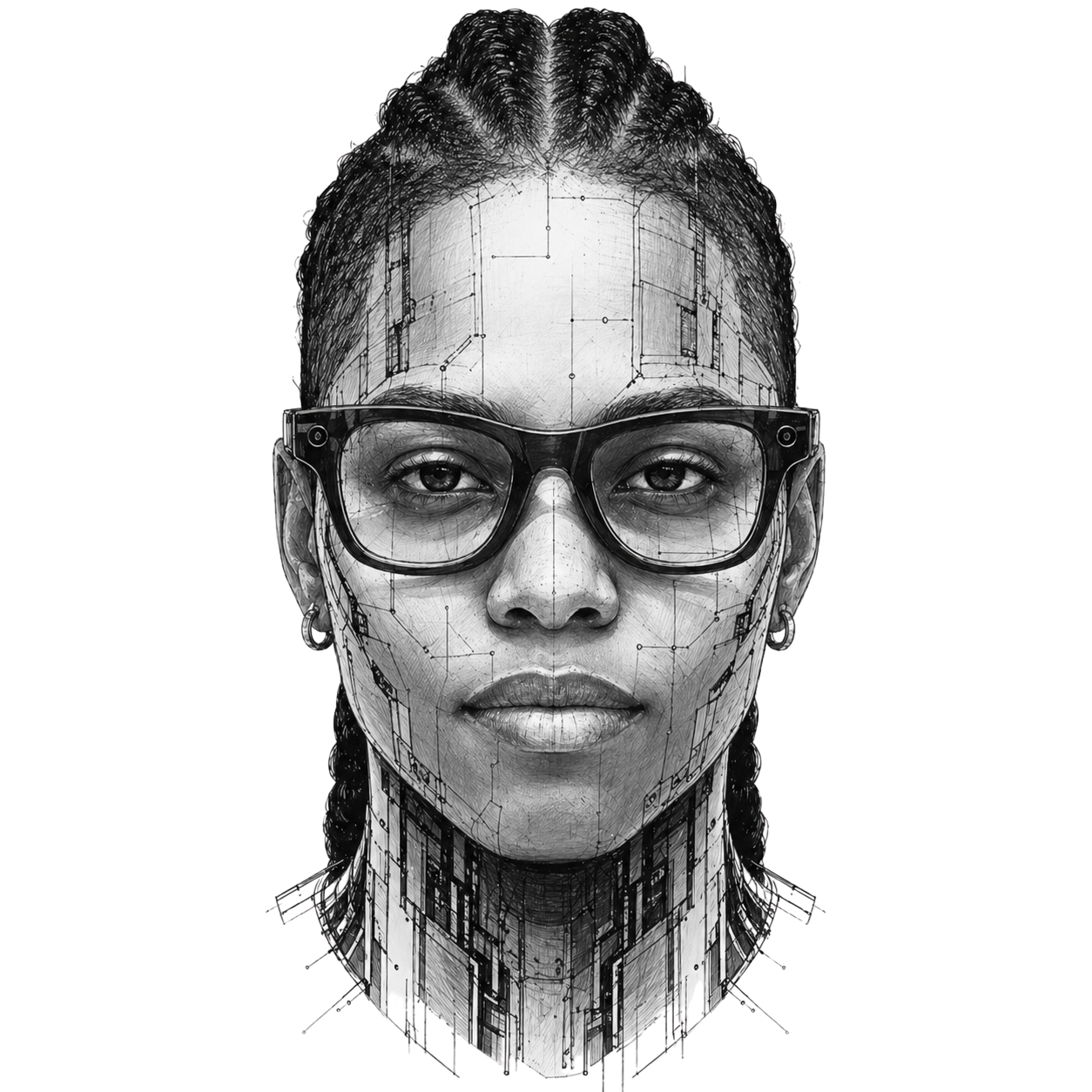
Tezana portrait
SYS_ACTIVE ● LIVE LAB_ENV
// 01 — About

Who I Am
& What I'm Building

Get In Touch →

I am a U.S. Army veteran and IT professional focused on technical support, troubleshooting, cybersecurity, cloud fundamentals, and AI technologies. My military background shaped how I approach technology: with discipline, attention to detail, clear communication, and a mission-focused mindset.

This portfolio highlights my hands-on labs and projects across hardware, networking, operating systems, virtualization, cybersecurity, and cloud environments. Each project documents the tools used, the steps taken, the problems encountered, and the lessons learned.

My goal is to continue building practical technical skills and contribute to reliable, secure, and efficient IT operations.

Current Focus Areas

CompTIA A+ Hardware Networking Fundamentals Cybersecurity Basics Cloud Fundamentals AI/ML Infrastructure Linux & Command-Line Technical Documentation Help Desk Workflows
// 02 — Portfolio

Hands-On IT Labs

LAB-001Completed
PC Hardware Identification Lab
CompTIA A+ / Hardware

Identified major internal and external PC components and documented their purpose, compatibility, and troubleshooting considerations aligned with CompTIA A+ objectives.

Difficulty: Beginner Tools: PCPartPicker, CompTIA A+ Objectives, Documentation Template Skills: Hardware recognition, documentation, troubleshooting concepts
HardwareA+Documentation
LAB-002In Progress
Setting Up a Virtual Lab
Virtualization / Operating Systems

Build and configure virtual machines to practice OS installation, snapshots, basic networking, and system configuration across Windows and Linux environments.

Difficulty: Beginner → Intermediate Tools: VirtualBox / VMware Workstation, Windows ISO, Linux ISO Skills: Virtualization, OS install, system config, troubleshooting
VMwareVirtualBoxLinuxWindows
LAB-003Planned
Basic Network Troubleshooting Lab
Networking / IT Support

Practice core network troubleshooting commands and document systematic approaches to diagnosing common connectivity issues in a real or virtualized environment.

Difficulty: Beginner Tools: Command Prompt, PowerShell, ping, ipconfig, tracert, nslookup Skills: Network troubleshooting, CLI tools, documentation
NetworkingCLIPowerShell
LAB-004Planned
Help Desk Ticket Triage Lab
IT Support / AI Workflow

Design a structured system to sort IT support tickets by urgency, category, and issue type using a spreadsheet-based urgency matrix and AI-assisted classification.

Difficulty: Intermediate Tools: Spreadsheet, AI prompt workflow, ticket categories, urgency matrix Skills: Ticket triage, customer support, workflow design, AI-assisted ops
Help DeskTriageAI Workflow
// 03 — Projects

Portfolio Projects

COMPETITION
DoD Cyber Sentinel Challenge 2025

Competed solo in a Department of Defense-level Capture the Flag cybersecurity competition against 2,151 national participants.

Solved challenges across networking, reconnaissance, web application testing, OSINT, and advanced forensics using professional security tools. Finished ranked #767 out of 2,151 competitors — top 36% nationally. Earned 1,200 points across 6 challenge categories including packet analysis, virtual host enumeration, RTSP enumeration, memory forensics, and geolocation OSINT.

Tools: Kali Linux, Nmap, Wireshark, Burp Suite, Volatility 3, CyberChef, Gobuster, exiftool, Hashcat, ffprobe

View Full Write-Up →
PROJECT-01
IT Support Ticket Classification System

Problem: Help desk teams lose time manually sorting tickets without a structured triage system.

Built a rules-based and AI-assisted workflow to classify help desk tickets by urgency, category, and issue type — reducing response overhead and improving resolution tracking.

Tools: Spreadsheet, Python (basic), AI prompt workflow, urgency matrix

View on GitHub →
PROJECT-02
Virtual IT Lab Setup — VMware + Cisco Packet Tracer

Goal: Build a clean, organized virtual lab environment on a dedicated PC to support CompTIA A+, networking, and cybersecurity hands-on practice.

Built a personal IT lab on an HP EliteDesk 800 G3 Mini running Windows 11 Pro. Verified BIOS virtualization settings, installed VMware Workstation Pro, and created an organized folder structure under C:\IT-Labs with dedicated folders for ISOs, virtual machines, Packet Tracer labs, screenshots, notes, diagrams, and GitHub projects. Currently setting up Ubuntu and Windows virtual machines for hands-on practice.

Hardware: HP EliteDesk 800 G3 Mini · Intel i5-7500T · 8GB RAM · 256GB SSD · Windows 11 Pro

Tools: VMware Workstation Pro, Cisco Packet Tracer, Ubuntu Linux, Nmap, PuTTY, ShareX, VS Code, GitHub Desktop, draw.io

PROJECT-03
Cybersecurity Home Lab

Problem: Security concepts require a live environment to understand attack and defense in practice.

Set up a virtualized home lab for practicing security monitoring, access control, defensive tooling, and log analysis with real scenarios and documented findings.

Tools: VirtualBox, Kali Linux, Wireshark, pfSense, Security Onion (planned)

View on GitHub →
PROJECT-04
Cloud Fundamentals Project

Problem: Cloud skills require hands-on deployment beyond reading documentation.

Beginner cloud project using AWS, Azure, or GCP to deploy VMs, configure storage, set permissions, and document architecture decisions and lessons learned.

Tools: AWS Free Tier / Azure / GCP, IAM policies, S3 / Blob Storage

View on GitHub →
PROJECT-05
AI/ML Infrastructure Engineert

Problem: AI/ML Infrastructure Engineer roles require physical and procedural knowledge that's hard to show without experience.

Project focused on rack-and-stack concepts, structured cabling documentation, server hardware identification, and AI/ML Infrastructure Engineer operational workflows — built as a reference guide and checklist suite.

Tools: Physical hardware, cable management diagrams, documentation templates

View on GitHub →
// 04 — Skills

Technical Skill Areas

IT Support
TroubleshootingHardware BasicsOperating SystemsTicketing WorkflowsCustomer SupportTech Documentation
Networking
TCP/IPDNSDHCPEthernetWi-Fi StandardsCLI Diagnostics
Cybersecurity
Security FundamentalsAccess ControlRisk AwarenessVuln ConceptsSecurity Docs
Cloud & AI/ML Infrastructure
Cloud FundamentalsVirtualizationMachine Learning Fundamentals AI Tools & Workflows Prompt Engineering AI/ML Infrastructure Operations
Tools & Platforms
GitHubVS CodeWindowsLinuxPowerShellCommand PromptVirtual MachinesVMware Workstation ProWireshark
// 05 — Certifications

Credentials & Cert Progress

Completed
Google Cybersecurity Professional Certificate
Cybersecurity foundations, threat analysis, security tools, and incident response via Google.
✓ Completed
Completed
Google IT Support Professional Certificate
Technical support fundamentals, networking, operating systems, system administration, and IT security via Google.
✓ Completed
Completed
Google Project Management Professional Certificate
Project management foundations, Agile, Scrum, risk management, and stakeholder communication via Google.
✓ Completed
Completed
Google AI Essentials Specialization Certificate
AI fundamentals, prompt engineering, using AI tools responsibly, and applying AI to workplace tasks via Google.
✓ Completed
In Progress
CompTIA A+ Core 1 (220-1101)
Mobile devices, networking technology, hardware, virtualization, cloud computing, and hardware & network troubleshooting.
Target: Q3 2026
In Progress
CompTIA A+ Core 2 (220-1102)
Operating systems, security, software troubleshooting, and operational procedures.
Target: Q3 2026
// 06 — Process

How I Document My Labs

Every lab in this portfolio is documented to show not just what I built, but how I thought through the process. Each entry includes the objective, tools used, steps completed, issues encountered, troubleshooting actions, screenshots, lessons learned, and next steps.

This approach prepares me to communicate technical work clearly — in tickets, runbooks, post-mortems, and interviews.

  1. Step 01Plan the lab objective and scope
  2. Step 02Build the environment or scenario
  3. Step 03Document each step as it happens
  4. Step 04Troubleshoot issues and record root cause
  5. Step 05Capture screenshots and command output
  6. Step 06Write lessons learned and next steps
  7. Step 07Publish to GitHub Pages with a dedicated lab page
// 07 — Contact

Let's Connect

I'm actively building my technical portfolio and open to IT support, AI/ML Infrastructure Engineer, cloud, machine learning, AI, and technical operations opportunities. Reach out through any of the links below.